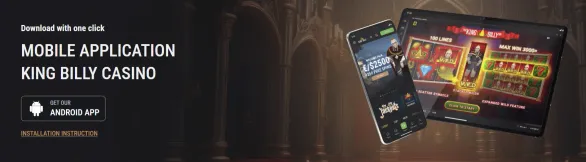

Android and iOS access
On mobile we keep it simple. For Android, you grab a small APK file, around 45MB, straight from our official site. Google Play does not host real-money casino apps like ours, so this is the standard way. You briefly allow installs from unknown sources in your settings, run the file, and the app installs in a couple of minutes. After that it updates itself, you do not need to chase new versions.
On iPhone and iPad everything goes through the browser. Open Safari or another mobile browser and use the mobile site instead of installing an app. The interface behaves like an app, with the same menus, cashier, and games. Some pages on the web mention an App Store app under Dama N.V., but in practice we rely on browser access - it is stable and not tied to App Store changes.
Both access methods unlock the full King Billy Casino experience. You can create an account, deposit in Canadian dollars, pick up the welcome package up to C$2500 and 250 free spins, and open any of our games. Slots, roulette, blackjack, poker, progressive jackpots - everything is there. A stable internet connection is the only must: Wi-Fi, 4G or 5G work best.
Installing the Android APK
First open your mobile browser and head to our download section. Tap on the Android APK button and let the 45MB file download completely. Then go into your device Settings, usually under Security or Privacy, and enable installs from unknown sources for that browser.
After that, open your Downloads folder, tap the King Billy APK and confirm the installation request. The process usually finishes in about two minutes. When it is done you can switch the unknown sources permission off again if you prefer.
The icon appears on your home screen, ready to launch. Sign in with your existing credentials or register a new account right in the app.
We support most modern Android hardware: Samsung Galaxy phones, Google Pixels, Nokia devices, tablets and similar models running Android 5.0 or newer. Older devices can open the app too, but heavy graphics games may load slower.
Updates roll out automatically. When a new build with security fixes or additional games is ready, you receive a notification and the app refreshes itself.
iOS browser play
On iOS the process is lighter. Open Safari, Chrome or another supported browser on your iPhone or iPad and type in our address. Add it to your bookmarks or home screen so you do not have to enter it again each time. On the homepage tap login or register.
Create your account with email, password and basic personal data. We send a confirmation email, and once you click the link your profile activates. Then you can visit the deposit page, choose a payment method and add funds in Canadian dollars. With a funded account, you move straight into the game lobby.
The mobile site automatically adjusts to the screen of your device and supports Face ID or Touch ID for quick login. Tap controls take the place of mouse clicks, and all core functions are optimized for touch screens.
There may be an app in the App Store with a crown icon, around 200MB in size, but it is not always visible in every region. This is why we treat browser access as the consistent option that remains available regardless of App Store policy shifts.
Games you can play
The mobile version uses the same game catalog as our desktop site. You will find slots such as Gates of Olympus, Fruit Bonanza, Buffalo Ice, next to roulette tables in European, French and live formats. Blackjack comes in classic and multi-hand layouts. There are also poker titles and progressive jackpot games.
Most of these games have a demo mode. You can launch them in practice mode before you deposit, switching between play funds and real money in the game menu. The exception are live dealer tables: for these you need real funds, demo access is not provided.
On a regular 4G connection games usually load in a few seconds. With 5G or stable Wi-Fi the load time is even shorter. You tap to spin on slots and drag chips or tap betting spots on table games, so navigation is quite straightforward.
Registration process
To start, tap Sign Up on the main screen. Enter your email address, set a password, and add your full name, date of birth and Canadian address. Choose Canadian dollars as the account currency. Read the terms, accept them, and send the form.
A verification link goes to your email inbox. Click it, then return to the site or app and log in with your new details. In the account area we may ask you to fill in a couple of extra profile fields.
Before the first payout we are required to verify your identity. We request scans or good quality photos of a government-issued photo ID, proof of address not older than three months, and sometimes confirmation of the payment method you used. These files are uploaded through the verification section in your profile.